OpenVPN Connect
- Price
- Free
- macOS
- macOS 11 and newer
- Two-factor
- Yes: MFA/TOTP prompts, PKCS#11 tokens
- Automatic connect
- Partial: When the app opens
- Simultaneous connections
- No, one server at a time
- Other VPN types
- None, OpenVPN only
Companies and VPN providers usually hand out OpenVPN as a .ovpn file. macOS doesn’t include an OpenVPN client, so you need an app. These are your options.
OpenVPN is one of the most widely used VPN protocols. Companies run it on their own servers, on OpenVPN Access Server or in the cloud, and many VPN providers publish their servers as OpenVPN profiles. What you usually receive is a single .ovpn configuration file, sometimes with separate certificate and key files.
Unlike IKEv2, Cisco IPsec or L2TP, OpenVPN isn’t built into macOS, so you always need an app to connect. All apps below import the same .ovpn file, so you can switch later without asking for new settings. They differ in price, supported macOS versions, how logins with one-time codes work, whether the VPN can connect on its own, and whether you can use other VPN types next to OpenVPN.
macOS has no built-in OpenVPN client. These apps are grouped by kind, from free apps to multi-protocol apps.
| App | Price | macOS | Two-factor | Automatic connect | Simultaneous connections | Other VPN types |
|---|---|---|---|---|---|---|
| Official vendor app | ||||||
| OpenVPN Connect | Free | macOS 11 and newer | Yes: MFA/TOTP prompts, PKCS#11 tokens | Partial: When the app opens | No, one server at a time | None, OpenVPN only |
| Free and open source | ||||||
| Tunnelblick Shimo vs Tunnelblick | Free (GPL) | macOS 13 to 15 listed | Yes: OpenVPN challenge / response | Partial: At startup or app launch | Yes: Documented as “for experts” | None, OpenVPN only |
| Paid apps | ||||||
| Passepartout | Free; features from $24.99 in-app | macOS 14 and newer | Yes: One-time passwords (in-app purchase) | Yes: Wi-Fi/Ethernet rules (in-app purchase) | Not listed | WireGuard |
| Viscosity Shimo vs Viscosity | $16 once · 30-day trial | macOS 14 and newer | Yes: OTP, PKCS#11, U2F, challenge | Partial: On launch; Wi-Fi via scripts | Yes | None, OpenVPN only |
| Multi-protocol apps | ||||||
 Shimo
Our app |
€39 once · 7-day trial | macOS 13 and newer | Yes: Static and dynamic challenge (OTP) | Yes: Wi-Fi, location, apps | Yes | 11 more, incl. WireGuard and IPsec |
Details as of October 2026, taken from each vendor’s own website and documentation. All trademarks belong to their owners.
OpenVPN Connect is the official, free client from OpenVPN Inc., available for macOS, Windows, Linux, iOS and Android, with native builds for Apple Silicon and Intel Macs. It imports .ovpn profiles or fetches them directly from OpenVPN Access Server or CloudConnexa, for which it is the recommended client. It supports one-time codes and PKCS#11 hardware tokens, connects to one server at a time and can connect automatically when the app opens.
Tunnelblick is a free, open-source OpenVPN client for macOS, licensed under the GPL. It installs .ovpn and .conf configurations by drag and drop, stores passwords in the macOS Keychain and can connect when the Mac starts or when Tunnelblick launches. Its system requirements list macOS 13 to 15, and support comes from a community discussion group.
Passepartout is an OpenVPN and WireGuard client for iPhone, iPad, Mac and Apple TV by independent developer Davide De Rosa, open source under the GPLv3. The app is free to download; features such as on-demand rules based on the Wi-Fi network and logins with one-time passwords require an in-app purchase, starting at $24.99 for the Mac. It needs macOS 14 or newer.
Viscosity by SparkLabs is a paid OpenVPN client for macOS and Windows. A $16 license covers one user on up to three computers, and there is a 30-day trial. It supports several simultaneous connections, two-factor methods such as one-time passwords, PKCS#11 tokens and U2F, and scripts that run when a connection changes state. The current version needs macOS 14 or newer.
Shimo is a VPN client for the Mac by Jäger Apps. It connects to twelve VPN types from the menu bar, including OpenVPN, WireGuard, IPsec and the common company SSL VPNs, and keeps several connections active at the same time. Triggers connect accounts automatically by Wi-Fi network, location or running app, credentials are stored in the macOS Keychain, and a connection history with CSV export helps with billing. A license costs €39 once per user and covers all of your Macs.
For a single server without automation, a free app is enough. You don’t need Shimo for this.
Viscosity costs less than Shimo, runs several connections and has a 30-day trial. Passepartout adds WireGuard and Wi-Fi rules as an in-app purchase.
If you also connect to WireGuard, IPsec or a company SSL VPN, Shimo runs them side by side in one app.
The connection history records duration, IP address and traffic per session and exports to CSV.
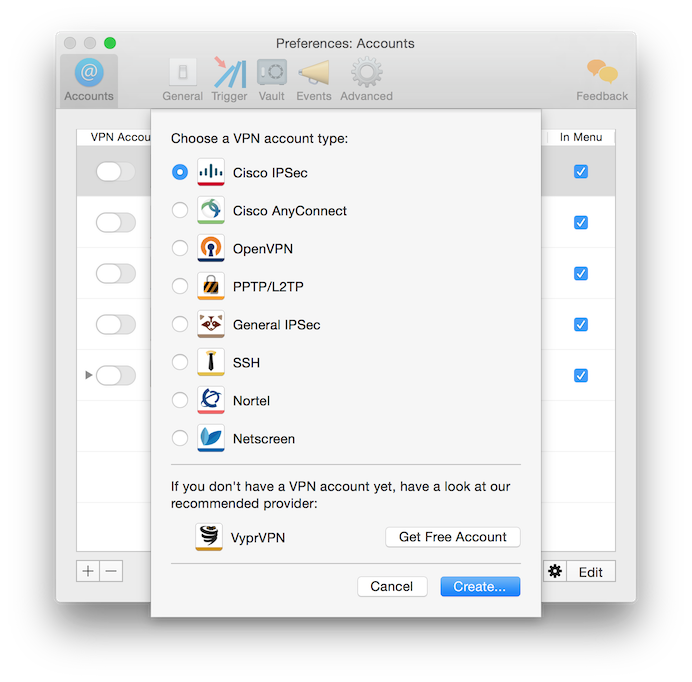
No. macOS includes clients for IKEv2, Cisco IPsec and L2TP, but not for OpenVPN. You need an app such as the ones above.
Yes. Shimo imports existing OpenVPN configuration files, so your current servers work without changes.
Yes. Shimo handles OpenVPN’s static and dynamic challenge/response, so servers that ask for a one-time code after the password work.
In Shimo, yes. Every license supports simultaneous connections with any mix of VPN types.
No. A Shimo license is a one-time payment of €39 per user, for all of your Macs.
Every feature is included in the trial. If you keep Shimo, you pay once.